
Kids Game Builder · For parents
You see every idea your kid types
Kids Game Builder is built for parents first. Every word your kid types into the AI game builder, and every answer the AI gives back, is on your family page. Here's what you can see and set.
Every prompt and every answer
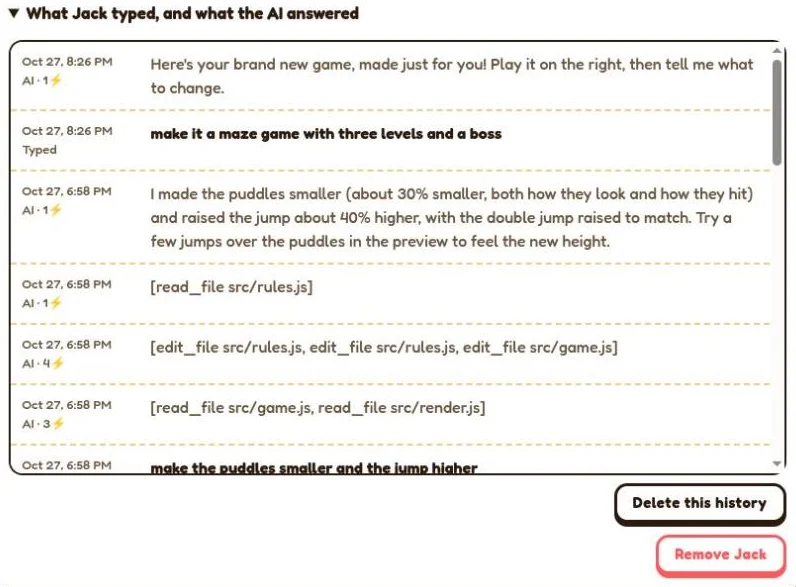
- Read everything each kid typed and everything the AI answered, newest first.
- Emails, phone numbers and street addresses are removed from what kids type before it reaches the AI or is saved.
- Delete a kid's history any time; it's deleted automatically after 90 days.
Limits, building hours and AI power, per kid
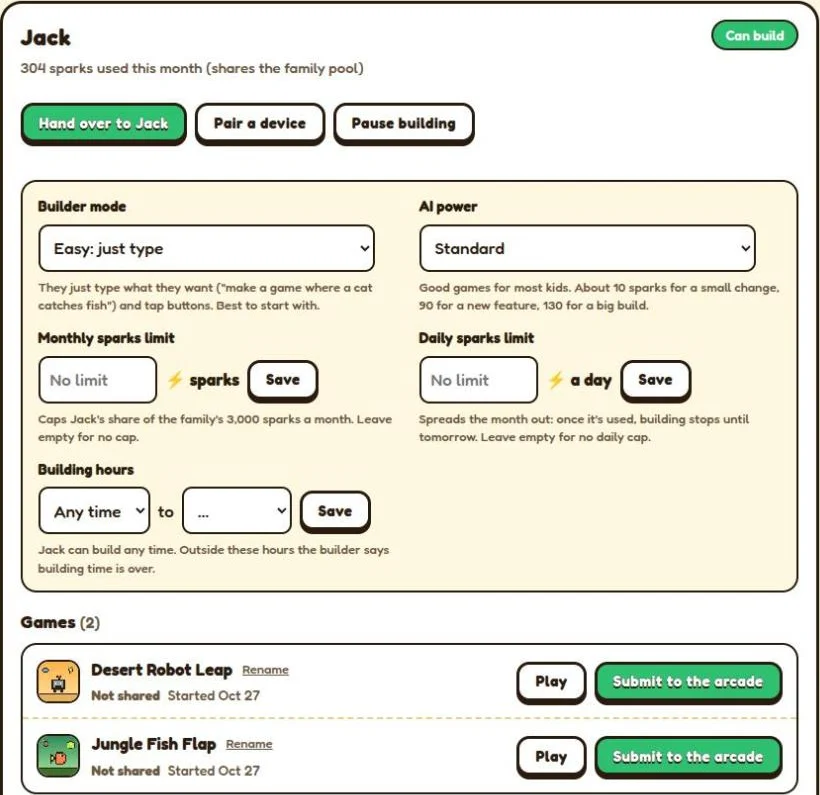
- Monthly and daily sparks limits: spread the month out, or cap one kid's share.
- Building hours: choose when they can build, in your time zone.
- Pause building with one tap.
- AI power: Saver for more changes per spark, Standard, or Advanced for bigger games that use more sparks, with a question before big builds.
- Builder mode: Easy (just type), Medium (a few commands) or Hard (the full programmer's console).
Banned words and email alerts
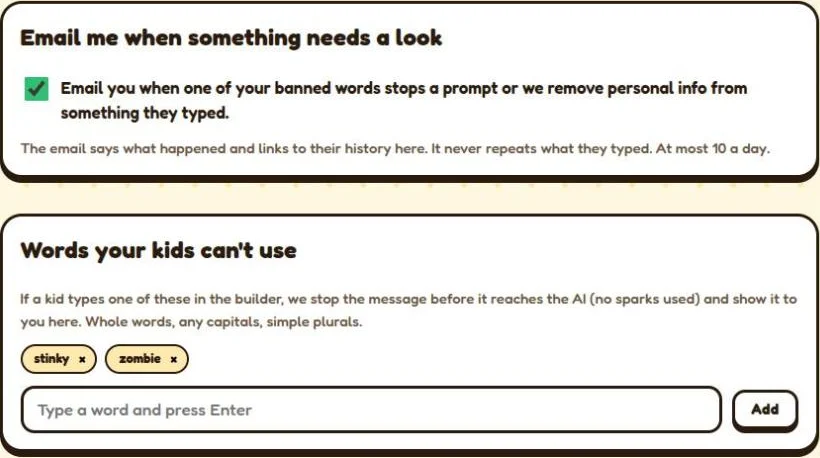
- Banned words: a prompt with one of your words is stopped before it reaches the AI, uses no sparks, and shows in their history.
- Email alerts: when a banned word stops a prompt or personal info is removed. The email never repeats what they typed.
- Questions from the AI are off unless you turn them on.
No email, no real names
Kids never need an email or an account of their own. You pair their tablet or computer with a one-time code, and they appear by the nickname you choose. On a shared device, hand it over to your kid in one tap.
Delete anything, any time
Delete a kid's history, a game, a kid, or your whole family, which also cancels the plan. How long everything is kept, and who processes it, is in your kid's privacy and COPPA and the full kids' privacy notice.
Start the Family Plan Play the free arcade
Try it 14 days for $1, then $79 a year for up to 4 kids · cancel any time · US families