Kids Game Builder · AI game maker for kids
The AI game maker for kids who dream up games
Kids Game Builder is an AI game maker for kids 6 to 12. Your kid describes a game in their own words, AI agents write the code, and a minute later they're playing it in the browser and changing it. No coding to learn first, and you see every idea they type.
Start the Family Plan Play the free arcade
Try it 14 days for $1, then $79 a year for up to 4 kids · cancel any time · US families
How an AI game maker works for kids
- They describe a game. "A goat that jumps over lava and collects stars." Their idea, their words.
- AI agents build it. The AI reads the game's code, writes the rules, art and sounds, and checks its own drawings, in about a minute.
- They play it and change it. "Make the goat jump higher." "Add a boss." "Make it a maze." Each change is one sentence.
- You stay in the loop. Every idea and every answer is on your family page. If you choose, you send a finished game to the free arcade, where we review it.
What kids can make
Kids aren't limited to a set of characters: they can ask for any creature, even one no game has, and the AI draws it as pixel art. Then they change it in their own words.
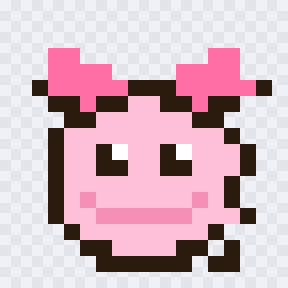
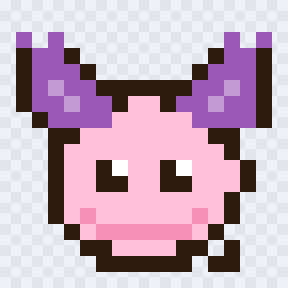

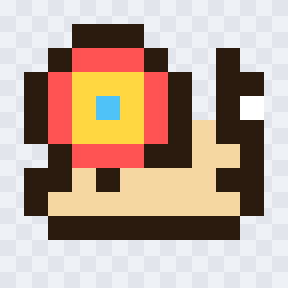
Drawn by the builder's AI from these requests in our own testing.
- Characters: heroes, enemies, goodies and bosses, drawn from their description and animated.
- Worlds: a candy volcano, a sunset bay, outer space, with their own sky, ground and scenery.
- Rules: jumping, flying, dodging, collecting, lives, levels, power-ups, bosses and two players on one device.
- Sounds: effects and little tunes made in code.
- Real games: every game runs in a web browser, on phones, tablets and computers.
What kids learn by making games with AI
Directing an AI is a skill: saying clearly what you want, changing one thing at a time, playing what was built, and fixing what doesn't work. Kids practise all of it every time they ask for a change. Our guides show how: how kids write good prompts and AI game building for kids.
Built so parents stay in charge
You read every prompt and every answer, set limits and building hours, ban words, and choose how much AI power each kid gets. Kids sign in with a code from you, never an email. See every parent control and how we handle your kid's privacy.
An AI game maker, block coding or a game engine?
| Kids Game Builder | Block coding (like Scratch) | Game engines (like Roblox Studio) | |
|---|---|---|---|
| How kids make a game | Describe it in their own words | Snap code blocks together | Code and build in an editor |
| First playable game | About a minute | After learning the blocks | After learning the tool |
| Best ages | 6 to 12 | 8 and up | Older kids and teens |
| What parents see | Every idea they type and every AI answer | Their projects | Depends on the platform |
| Cost | $79 a year for up to 4 kids | Scratch is free | Usually free to start |
They teach different things, and many kids enjoy more than one. Kids Game Builder is for kids who are full of game ideas and want to see them working today.
What it costs
The Family Plan is $79 a year for up to 4 kids, about $6.58 a month, with 3,000 sparks of building every month for the family. Try it 14 days for $1. Cancel any time. For families in the US.
Start the Family Plan Play the free arcade
Try it 14 days for $1, then $79 a year for up to 4 kids · cancel any time · US families